


Chat Bubbles — Chat animations for your videos
On Sale
$19.00
$19.00
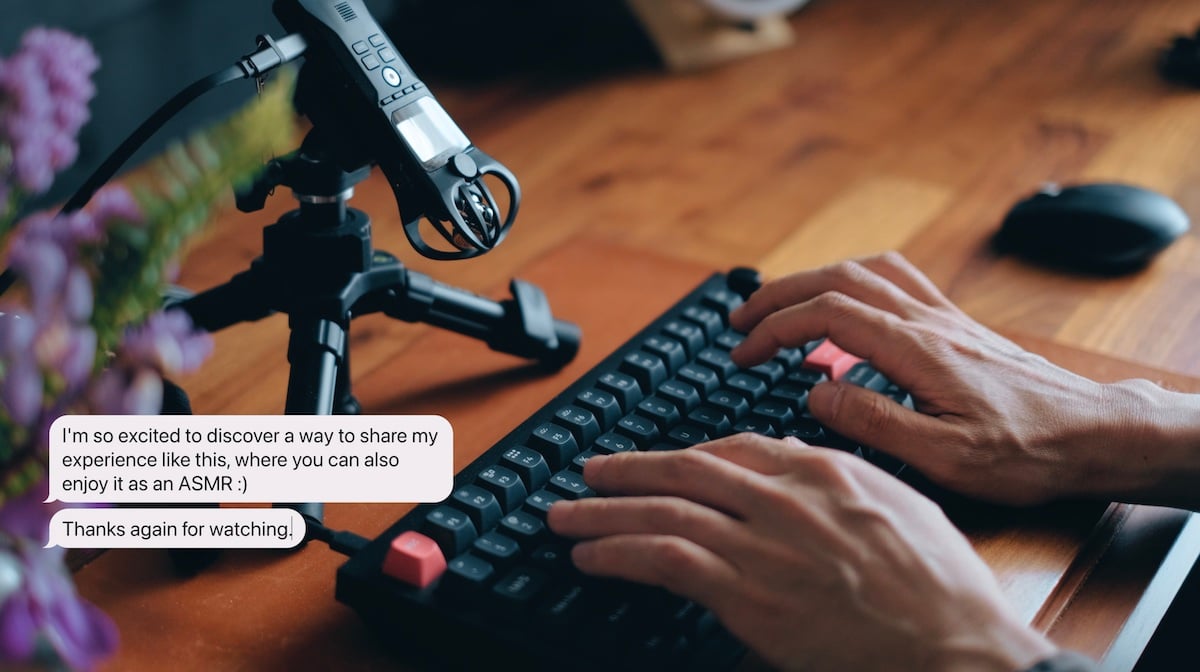
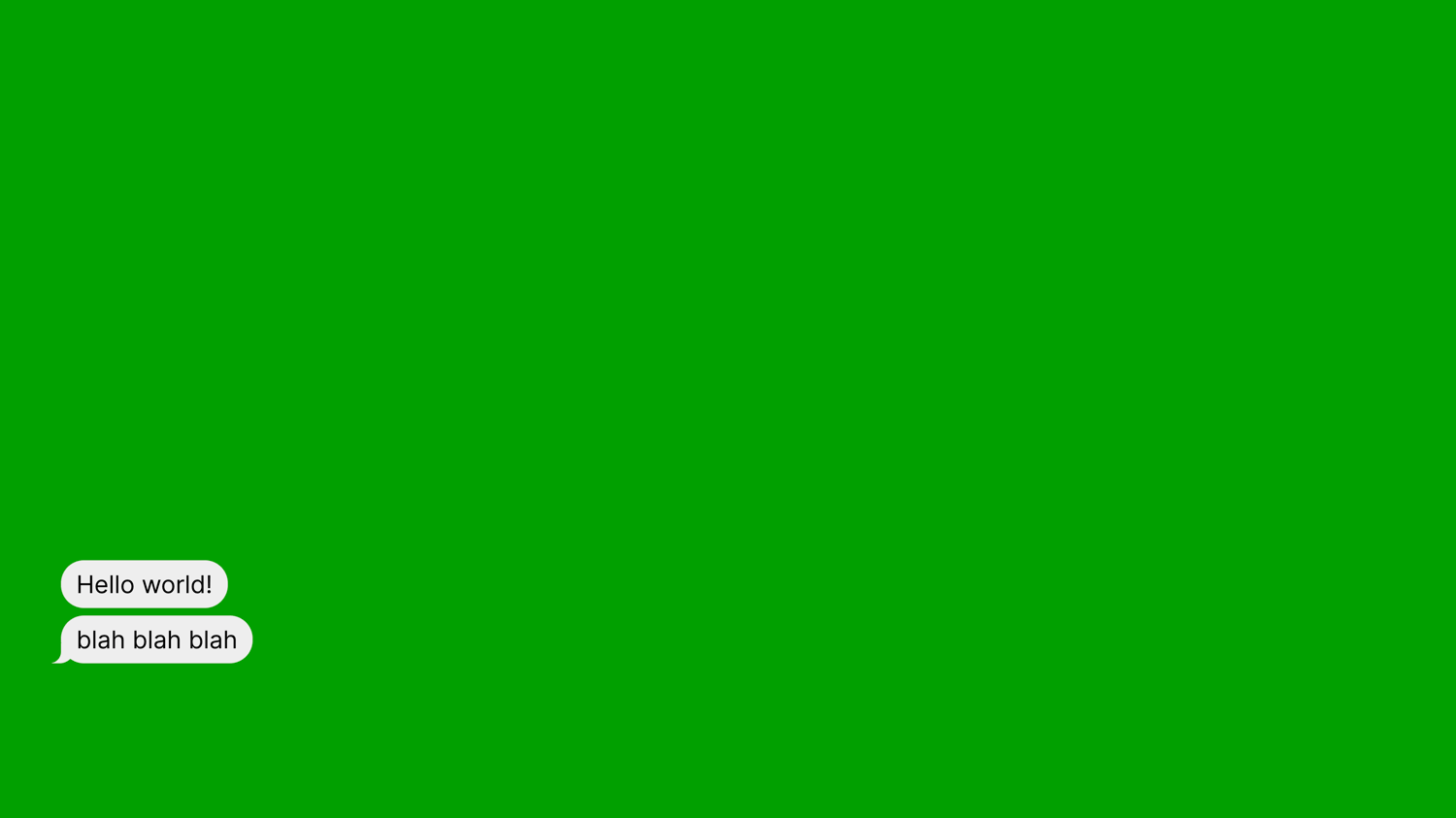
Chat Bubbles is the tool I built for my own YouTube channel. You type, and messages appear as animated chat bubbles with real mechanical keyboard sounds, on a green screen you can drop straight into your editor. No keyframing, no plugins, no subscription.
What you get
- Access to the hosted app. Open it and start recording — there is nothing to set up.
- The complete source code — React 19, TypeScript, Vite, and Motion, cleanly organized and commented where it matters. Run your own copy whenever you want to change something the built-in options don’t cover.
- The Keychron Q1 sound pack, plus the original Audacity project file, so you can re-cut the samples or record your own keyboard the same way.
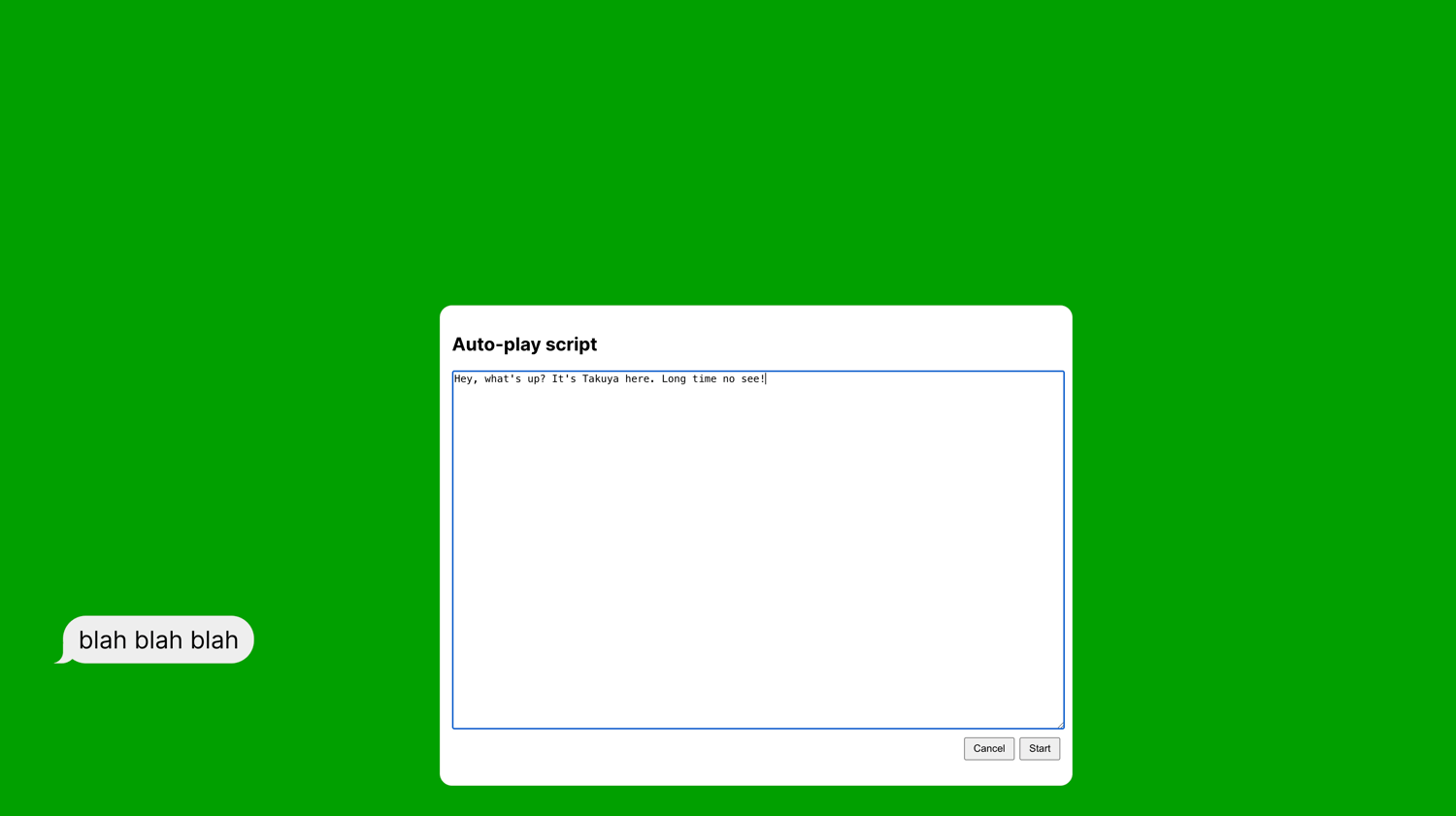
- A README covering setup, every configuration option with its default, and how the auto-play scripting works.
- A commercial license that lets you modify it for yourself and monetize everything you record with it.
Requirements
To use the hosted app — how most people will use it:
- A modern browser
- A screen recorder: OBS, or whatever your OS provides
That’s it. Open the URL, size your window, hit record.
To run your own copy from the source — only needed if you want to add your own sound packs or change something the built-in options don’t cover:
- Node.js 20.19+ or 22.12+
- pnpm
- Enough comfort with a terminal to run two commands (pnpm install, pnpm dev)
Either way, it works on macOS, Windows, and Linux.
- Video editor with green screen keyer support (Final Cut Pro, Premiere Pro, etc)
FAQ
- Can I use this for monetized or sponsored videos? Yes. Anything you record with it is entirely yours.
- Can I change how the bubbles look? Yes — colors, fonts, sizing, and timing are all configuration. Beyond that you have the full source, and the license explicitly allows modifying it for your own use.
- Can I add my own keyboard sounds? Yes, and it’s a supported use case. Sound packs are a short JSON file pointing at an audio sprite. The Keychron Q1 pack is included as a working example, along with its Audacity project.
- Is this a desktop app? No, it’s a web app. Use the hosted version in your browser as soon as you buy, or run the source locally — either way you capture the window with your screen recorder.
- Do you offer support? No. This is sold without user support or technical support, for the hosted app and the source code alike. I can’t help you set it up, configure it, debug a build on your machine, or adapt it to your workflow. Everything I know about running and configuring it is in the README that comes with it, and the tool is deliberately small — there isn’t much to get stuck on. The one thing I do want to hear about is the hosted app being broken, since that’s what the refund below covers.
- Do I get updates? There’s no release schedule, and I’m not promising new features. This is a small, finished tool — it does one job, it’s been working fine, and there isn’t much that needs changing. What you can count on is that I use it myself for my own videos, so when I run into a bug, I fix it. Those fixes go live on the hosted app automatically, with nothing for you to do. When a fix matters for the source too, I’ll refresh the download here.
- Can I get a refund? Yes, within 14 days of purchase, if the hosted app doesn’t work. That’s the part you’re guaranteed: if it’s broken for you and I can’t fix it, you get your money back. Outside those 14 days, or for any other reason, I don’t offer refunds.
- The source code is a separate matter. It ships as-is, and running it takes some programming skill — a terminal, Node, and pnpm. Every environment is different, and I can’t guarantee it will build and run in yours. Trouble getting the source running locally isn’t grounds for a refund, and it doesn’t affect your access to the hosted app, which is there either way.